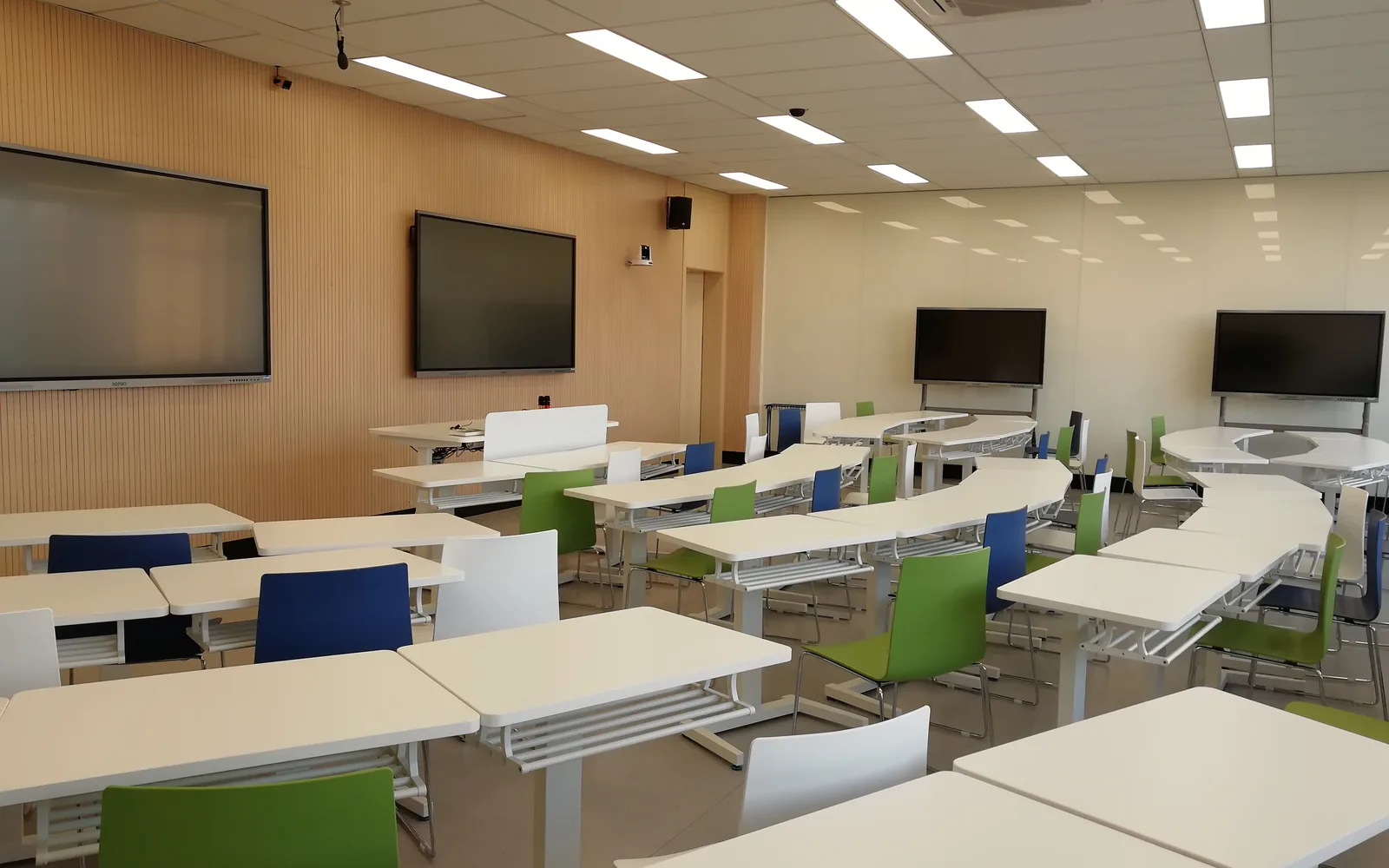
Quick answerTo choose the right interactive flat panel size, match the screen to the distance of the farthest viewer: the back row should sit no more than about 6 times the screen height away. As a practical rule, a 65–75″ panel suits small classrooms, 75–86″ suits standard classrooms, and 98–110″ suits large rooms, lecture halls, and boardrooms.
Picking the wrong IFP size is one of the most common — and most avoidable — mistakes in a classroom deployment. Too small and the students at the back cannot read the text; too large and you have overspent and may struggle to mount it. This guide gives integrators a simple sizing method and a room-by-room reference table.
The viewing-distance rule
The single most useful guideline is the relationship between screen size and how far away the farthest viewer sits. For readable text on a 4K interactive display, the back row should be no farther than roughly 6 times the screen height. Because panels are sold by diagonal inches, the easiest approach is to start from your farthest viewer and work backward to the size.
If the back of the room is 6 metres from the wall, you want a larger panel (86″ or above). If it is 3–4 metres, a 65–75″ panel is usually enough. When in doubt, size up rather than down — students never complain that text is too easy to read.
Size-by-room reference table
| Panel size | Typical room | Approx. viewers | Max back-row distance |
|---|---|---|---|
| 65″ | Small classroom, training room | Up to ~20 | ~4 m |
| 75″ | Standard classroom | ~25–30 | ~5 m |
| 86″ | Standard / large classroom | ~30–40 | ~6 m |
| 98″ | Large classroom, small lecture hall | ~40–50 | ~7 m |
| 110″ | Lecture hall, large boardroom | 50+ | ~8 m |
These are practical starting points, not rigid limits. Ceiling height, seating layout, and whether students take handwritten notes from the screen all shift the answer.
Other factors beyond distance
Mounting and wall space
A 98″ or 110″ panel is heavy and wide. Confirm the wall can take the weight, that the VESA mount matches, and that there is enough clear wall width. In rooms where wall mounting is impractical, a mobile floor stand lets one large panel serve several rooms.
Budget and fleet consistency
For a multi-room project, mixing one or two sizes keeps spares, mounts, and training consistent. A common pattern is 75″ or 86″ as the standard classroom unit, with 98″+ reserved for halls.
Content type
Dense content — spreadsheets, detailed diagrams, small text — needs a larger panel or a closer back row than simple slides do. Factor in what will actually be shown.
Common sizing mistakes to avoid
- Sizing for the front row instead of the back row.
- Ignoring ceiling height — a large panel mounted too high strains necks and hurts readability.
- Forgetting the mount and wall structure until after the panel arrives.
- Buying the cheapest small size to hit a budget, then replacing it when the school complains.
Frequently asked questions
What size interactive flat panel is best for a standard classroom?
For a typical classroom of 25–40 students with a back row around 5–6 metres away, a 75″ or 86″ interactive flat panel is the most common and balanced choice.
Is a 110-inch interactive flat panel worth it?
A 110″ panel makes sense for lecture halls, large boardrooms, and rooms where the back row is 7–8 metres away. For standard classrooms it is usually larger than necessary and harder to mount.
How do I calculate viewing distance?
Measure from the screen to the farthest seat. For a 4K interactive display, keep that distance within about 6 times the screen height, then choose the diagonal size that fits.
Key takeaways
- Size to the farthest viewer: back row within roughly 6× the screen height.
- 65–75″ for small rooms, 75–86″ for standard classrooms, 98–110″ for halls and boardrooms.
- Check mounting, wall space, and content type before finalising — and size up when unsure.
Written by the Tralltech Technical Team · Last reviewed: June 2026
Related: Interactive Flat Panel range (55″–110″) · Smart Classroom Solution · Request a sample