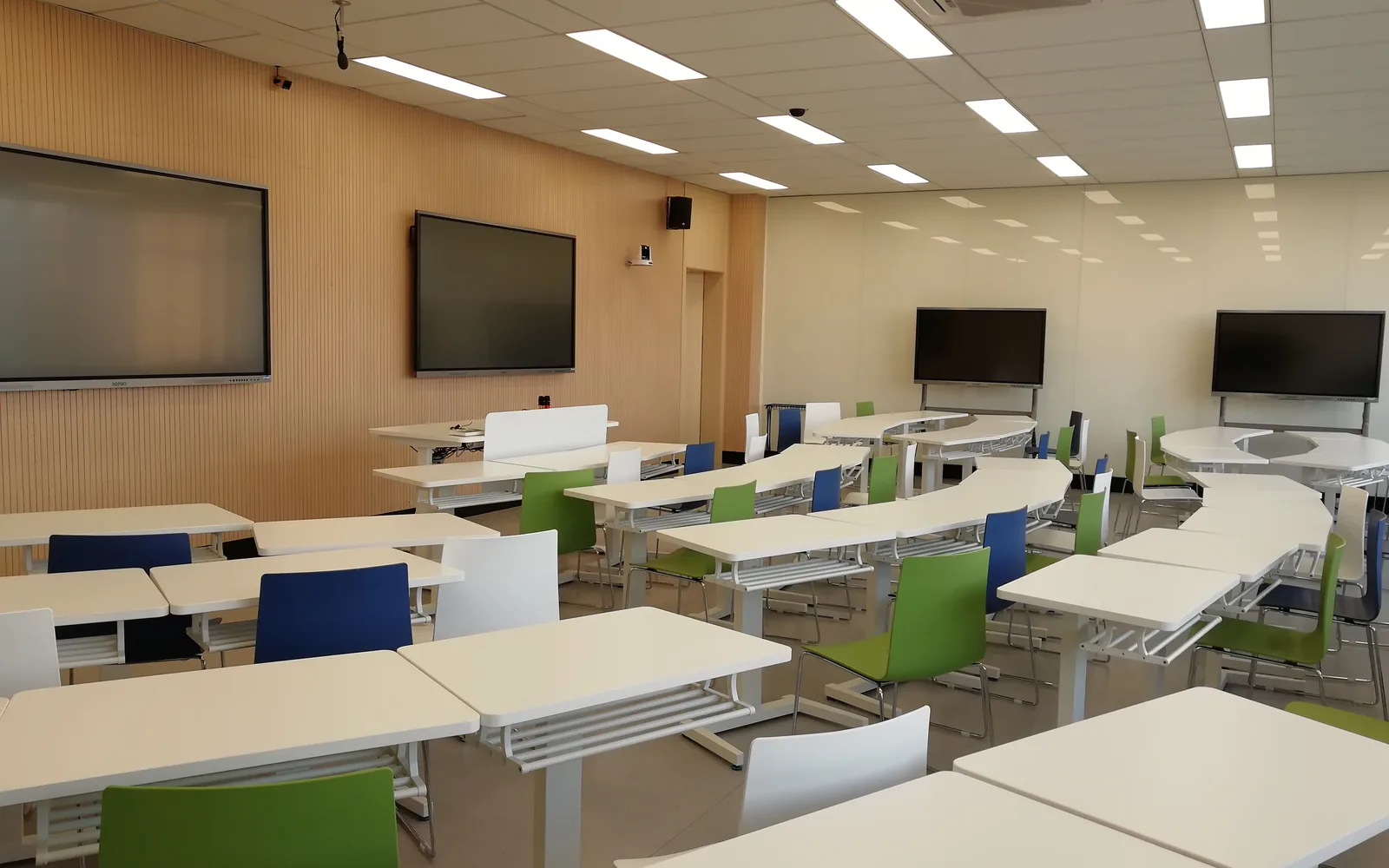

For a 200-seat hall that typically means 6–8 wall or ceiling speakers in two delayed zones, a 250–500 W amplifier, 3–4 wireless microphone channels, and projection plus repeater displays — because a single interactive panel cannot be read from the back row.
Lecture halls are where most classroom AV designs quietly fail. The equipment list looks the same as a normal classroom — a display, a microphone, a pair of speakers — so it gets quoted the same way. Then the room turns out to be 20 m deep with a hard ceiling, the back three rows cannot hear the lecturer or read the slides, and the integrator is the one standing in front of the client explaining why.
This guide is written for the system integrators and project companies who have to commit to a seat count, a coverage plan and an amplifier rating inside a tender document — not for a lecturer looking for a louder speaker. It covers speaker count and amplifier power by seat count, microphone channels and feedback control, the display sizing rule that catches almost everyone, and a set of specification clauses you can paste straight into a bid.
Why a Lecture Hall Is Not a Big Classroom
A standard classroom holds 30–50 students within roughly 8 m of the teacher. One pair of active speakers and one microphone cover it, and the display sits close enough for everyone to read. Every one of those assumptions breaks in a lecture hall. If you are scoping the standard rooms in the same project, the design logic for those is in our classroom audio system design guide; this page picks up where that one stops.
Three things change at once, and they change together:
- Distance. Sound loses about 6 dB every time the distance from the source doubles. A speaker that is comfortable at 5 m is thin and indistinct at 20 m. Turning it up does not fix this — it just makes the front rows uncomfortable.
- Reverberation. Large rooms with hard floors, glass and bare concrete hold sound. When reverberation time exceeds roughly 1.2 seconds, syllables overlap and speech intelligibility drops no matter how much power you add.
- Sightlines. A tiered or deep room puts the last row far beyond the readable range of a single flat panel, and puts the lecturer’s face beyond the reach of a fixed camera.
The correct response to all three is the same: stop making one source louder, and start distributing several smaller sources closer to the listeners. That single principle drives everything below.
How Many Speakers and How Much Amplifier Power?
Start with seat count and room depth, then work back to hardware.
Power alone does not make a room intelligible — placement does. Aim for a layout where no seat is more than about 8–10 m from the nearest speaker. In practice that means:
| Room depth | Speaker layout | Typical configuration |
|---|---|---|
| Up to 10 m | Single front pair | 2 active loudspeakers either side of the display — no amplifier needed |
| 10–15 m | Front pair + one rear zone | 4 speakers on a 100 V line, one amplifier |
| 15–22 m | Two or three delayed zones | 6–8 speakers, amplifier with zone outputs, delay on rear zones |
| Over 22 m | Three-plus zones or line array | 10–16 speakers, multiple amplifier channels, DSP required |
Why rear speakers need delay
Sound travels about 343 m per second, so it needs roughly 3 milliseconds to cover one metre. If a rear speaker sits 12 m behind the front pair, its sound reaches the back rows about 35 ms ahead of the lecturer’s actual voice, and listeners perceive the voice as coming from the ceiling behind them rather than from the stage. Adding roughly 3 ms of delay per metre of offset re-aligns the arrivals, so the reinforced sound still appears to come from the presenter.
This is the single most common omission in lecture hall tenders that specify rear speakers at all.
100 V line versus 8-ohm speakers
Low-impedance (8 Ω) wiring is fine for two or four speakers on short cable runs. Once you are running six or more speakers over long distances — which is every real lecture hall — switch to a 100 V constant-voltage line system. It lets you tap each speaker at a different wattage, tolerates long cable runs without significant loss, and makes it trivial to add or rebalance a zone later. It is also the standard architecture for school-wide distributed audio and broadcast systems, so it keeps the room compatible with any campus paging system that gets added afterwards.
Microphones: How Many Channels, and How to Stop Feedback
Channel count is driven by what actually happens in the room, not by seat count:
- 1 channel — lecturer only, headset or lapel. The minimum for any hall.
- 2 channels — lecturer plus one roving handheld for audience questions. Below 100 seats this is usually enough.
- 3–4 channels — lecturer, two roving handhelds, one spare or podium gooseneck. Standard for 100–250 seats.
- 4–8 channels — auditoriums with panels, ceremonies or multiple presenters.
Use UHF systems with frequency coordination once you go past two channels. Cheap 2.4 GHz microphones share their band with every Wi-Fi access point and phone in the room, and they start dropping out precisely when the hall is full of people and devices. Check the UHF allocation in the destination country before you commit a model to the bid — parts of the band are restricted in some markets, and a system that is legal in one country may not be in the next.
Beyond that, feedback is mostly a geometry problem. Keep microphones behind the plane of the loudspeakers so the speakers are firing away from them, choose directional (cardioid or supercardioid) capsules, and never place a lapel mic directly beneath a front-fill speaker. If the room still sits on the edge, a feedback suppressor with narrow notch filters in the audio processor buys a few more decibels — but it is a correction, not a substitute for placement.
The Display Mistake Almost Every Lecture Hall Design Makes
This one is worth checking before anything else, because it changes the whole budget.
For readable detailed content — spreadsheets, diagrams, code, small text — the furthest viewer should sit no more than about four times the screen height away, and no more than six times for large simple slides. A 110-inch 16:9 panel is only about 1.37 m tall. That gives a comfortable detailed-viewing range of roughly 5.5 m, stretching to about 8 m for headline-sized content.
The workable options for a deep hall are large-format projection as the primary image, with repeater displays mounted down the side walls or on columns to serve the middle and rear sections; or a projected main image paired with an interactive flat panel at the front used as the lecturer’s own working surface. If you are sizing panels for standard classrooms in the same project, the same arithmetic applies there — our guide on choosing interactive flat panel size for a classroom works through the smaller rooms.
Camera, Recording and Hybrid Sessions
Most lecture hall tenders now include recording or streaming, and it is usually where the audio design gets undone.
Use two cameras in halls above roughly 120 seats: one PTZ camera at the rear covering the presenter, and one at the front covering the audience so questions are visible in the recording. A 4K NDI-capable camera lets the recorder and the streaming platform pull the same feed without contention.
Equipment List by Room Size
A starting BOM for four typical room sizes. Treat it as a scoping tool — the acoustics of the specific room will move these numbers, sometimes significantly. For the standard classrooms alongside the hall, the equivalent line-by-line list is in our smart classroom equipment list.
| Component | Seminar 30–60 seats |
Small hall 60–120 seats |
Large hall 120–250 seats |
Auditorium 250–500 seats |
|---|---|---|---|---|
| Active wall speakers | 1 pair, 2 × 40 W | 1 pair front fill | front fill only | front fill only |
| Amplifier + passive speakers | — | 1 × 120 W, 4 speakers | 1 × 250–500 W, 6–8 speakers, 2 zones | 2 × 500 W, 10–16 speakers, 3 zones |
| UHF wireless microphones | 1 channel | 2 channels | 3–4 channels | 4–8 channels |
| Audio hub / processor | optional | recommended | required (delay + mixing) | required (DSP + zones) |
| Display | 86″–98″ interactive panel | 110″ panel or projection | projection + 2 repeater displays | large-format projection + 4+ repeaters |
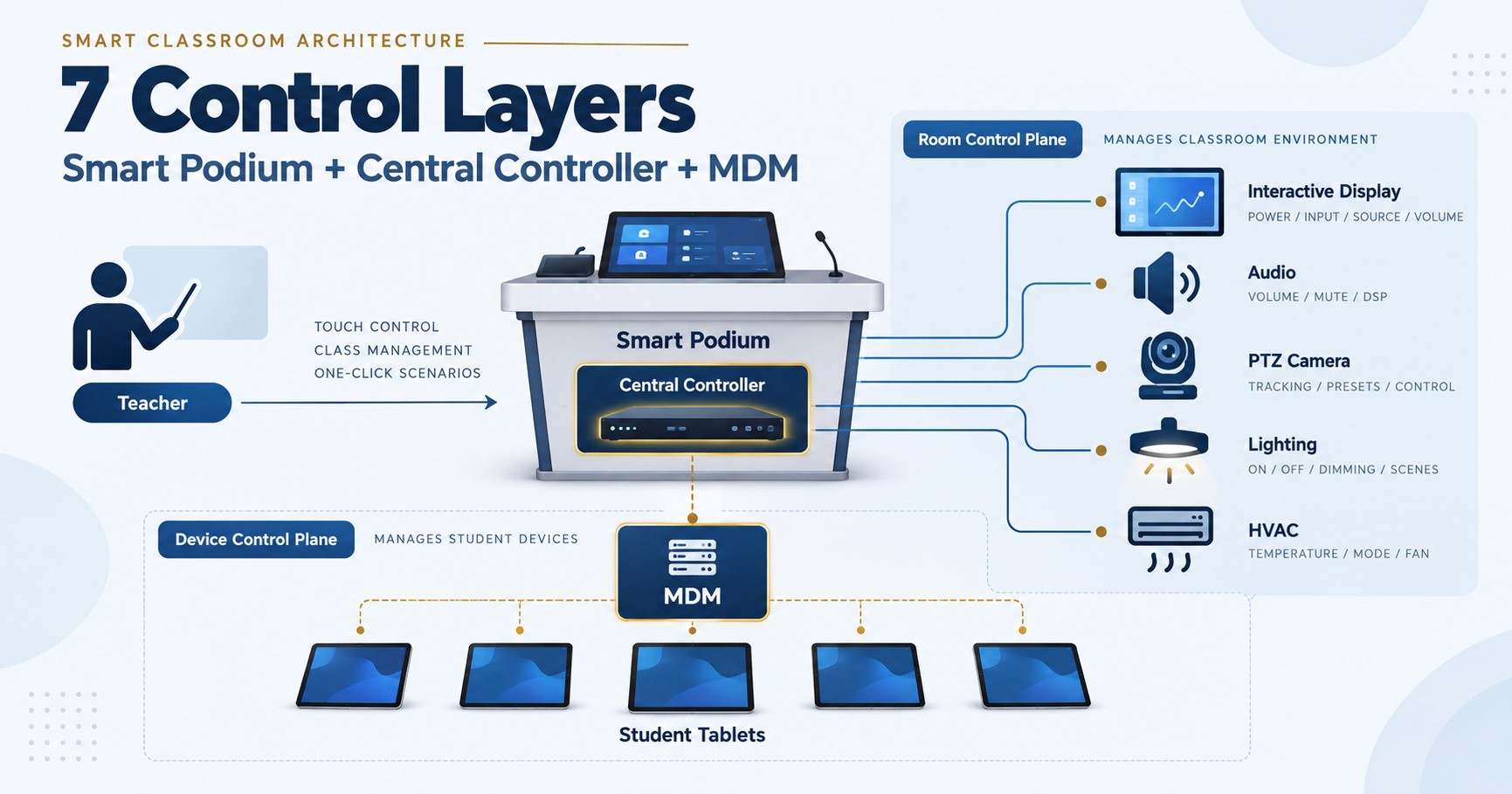
| Digital podium | single screen | single screen | dual screen | dual screen + control |
| Cameras | optional PTZ | 1 PTZ | 2 (presenter + audience) | 2–3, IP/NDI |
| UPS | optional | rack UPS | rack UPS | rack UPS |
A lecture hall is rarely a standalone purchase — it sits inside a wider campus project alongside standard classrooms, labs and meeting rooms, which is why we scope it against our smart classroom solution for education projects rather than as an isolated room.
Specification Clauses You Can Paste Into a Tender
If you are writing or reviewing the technical section of a lecture hall tender, these are the clauses that separate a system that works from one that merely arrives. Adjust the numbers to your room, then paste.
- Coverage: the system shall provide even speech coverage across all seating positions, with no seat more than 10 m from the nearest loudspeaker.
- Distribution: loudspeakers shall be connected on a 100 V constant-voltage line with individually selectable power taps.
- Delay: all loudspeaker zones located behind the primary zone shall be individually delay-adjustable to preserve source localisation.
- Amplification: amplifier continuous output shall be not less than 1.5× the total connected loudspeaker power.
- Signal levels: display and podium audio outputs are line-level and shall be connected to an active loudspeaker or amplifier input; direct connection of passive loudspeakers is not permitted.
- Microphones: not fewer than [3] UHF wireless channels with frequency coordination, comprising [1] lecturer headset/lapel and [2] handheld units, operating within the spectrum allocation of the country of installation.
- Mixing: the audio processor shall provide automatic microphone mixing and feedback suppression on all live channels.
- Legibility: the primary image shall be sized such that the furthest seat is no more than 6× the image height from the screen; repeater displays shall be provided where this cannot be met.
- Podium: dual-screen digital podium with independent presenter and audience outputs, height-adjustable, with RS232/RS485 device control.
- Cameras: not fewer than two cameras — presenter and audience — with simultaneous USB and IP/NDI output.
- Recording feed: the recording and conferencing audio feed shall be taken from the audio processor line output, not from a camera or ambient microphone.
- Power: rack-mounted UPS shall support the amplifier, processor and control equipment for not less than [15] minutes.
- Scope split: the bidder shall state which items are supplied by the equipment manufacturer and which by the installing contractor, including the equipment rack, structured cabling, mains distribution and any PoE switch.
- Acceptance: the system shall be demonstrated at handover with a measured sound pressure level and intelligibility check at the furthest seating position, and the supplier shall provide a system wiring diagram and bill of materials.
Six Mistakes We See in Lecture Hall Tenders
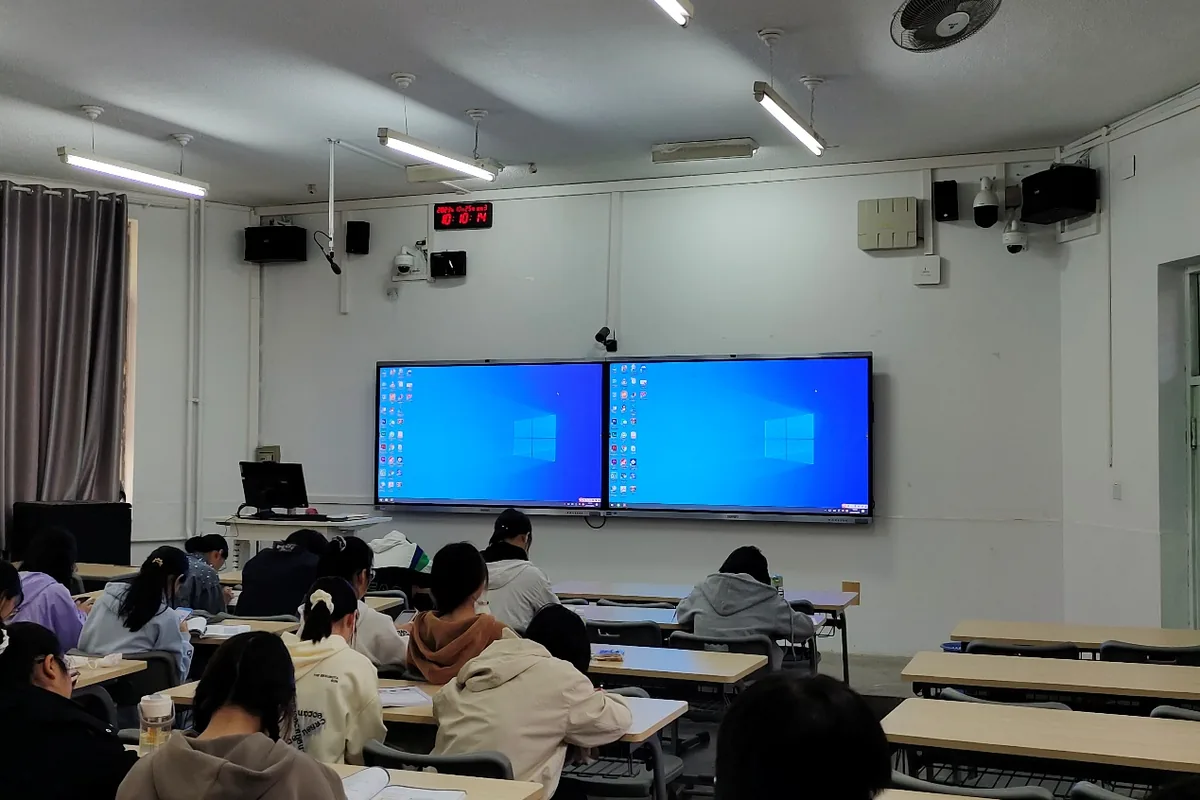
- Classroom BOM, lecture hall room. One pair of speakers and one microphone copied from the standard classroom line item. It passes evaluation and fails at handover.
- Passive speakers wired to the panel. The display’s audio output is line-level. Connecting passive speakers to it produces almost no sound, and the site blames the speakers.
- Rear speakers with no delay. The sound arrives before the lecturer’s voice, and the back rows hear the ceiling talking.
- One large panel for a deep hall. Saves money on paper, leaves two-thirds of the audience unable to read the slides.
- Recording fed from a room microphone. Remote and recorded audio comes back hollow and echoing, and no amount of post-processing recovers it.
- Nobody owns the rack, cabling and PoE switch. These sit between the equipment supplier’s BOM and the electrical contractor’s scope, so each assumes the other has them. Name them and name the owner in the bid.
Frequently Asked Questions
What audio system does a 200-seat lecture hall need?
Plan on roughly 400 W of total speaker power driven by a 250–500 W amplifier, distributed across 6–8 wall or ceiling speakers arranged in two zones with delay applied to the rear zone, plus 3–4 UHF wireless microphone channels and an audio processor with automatic mixing. A single pair of speakers at the front will be loud in row one and unintelligible in row twenty, regardless of how much power you give it.
Can classroom speakers be reused in a lecture hall?
Only in rooms up to about 10 m deep. Beyond that, a front-only pair cannot deliver even coverage, because sound drops roughly 6 dB with each doubling of distance. The fix is more speakers placed closer to the listeners, not larger speakers at the front.
Do I need a 100 V line system, or will 8-ohm speakers work?
Use 8 Ω wiring for two to four speakers on short runs. Use a 100 V constant-voltage line for six or more speakers, long cable runs, or any room that may later be tied into a campus paging or broadcast system. The 100 V approach also lets you set each speaker’s power tap individually, which is how you balance a room with uneven seating.
Will one 110-inch interactive panel work in a 200-seat hall?
No. A 110-inch panel is about 1.37 m tall, which supports detailed viewing to roughly 5.5 m and simple slides to about 8 m. A 200-seat hall is usually 20–25 m deep. Use large-format projection as the primary image with repeater displays down the side walls, and treat any interactive panel at the front as the lecturer’s working surface rather than the main image.
How do I stop microphone feedback in a large hall?
Position first: keep microphones behind the loudspeaker plane, use directional capsules, and never place a lapel mic under a front-fill speaker. Then reduce the number of simultaneously open microphones — every doubling of open mics costs about 3 dB of gain before feedback — using an automatic mixer that gates unused channels. Feedback suppression with narrow notch filters is the last step, not the first.
Does a lecture hall AV system need a PoE switch?
The audio does not — amplifiers, processors and UHF receivers all run on mains from the rack. PoE matters for IP cameras and any access point serving the hall, and that switch normally sits in the network cabinet under the installing contractor’s scope rather than shipping with the equipment. Confirm the PoE budget and free port count before shipment; on a hall with two IP cameras this is the item most likely to be missing on commissioning day.
Who supplies the equipment rack, cabling and mains distribution?
The installing contractor, in almost every export project. We ship the equipment, the system design, the wiring diagram and the specification wording; the rack, structured cabling, conduit, mains distribution, ceiling and wall fixings, and the commissioning labour are local scope. Writing that split into the bid document protects your margin and prevents a scope argument at handover.
How should a lecture hall audio system be verified at handover?
Measure rather than listen. Take a sound pressure level reading at the front, middle and furthest seating positions with the system at normal operating level and confirm the spread is even, then check speech intelligibility at the worst seat. Verify that each delayed zone is set to roughly 3 ms per metre of offset, and that every microphone channel reaches usable level without feedback with all channels open. Putting this test into the tender as an acceptance clause also gives you something objective to point at if the client disputes the result.
Key takeaways
- Distribute the sound rather than amplifying one source: budget around 2 W per seat and keep every listener within 8–10 m of a speaker.
- Any speaker zone behind the front zone needs delay — roughly 3 ms per metre of offset — or the back rows hear the ceiling instead of the lecturer.
- Check display legibility before anything else: one 110-inch panel covers about 8 m, so a deep hall needs projection plus repeater displays.
- Name the rack, cabling and PoE switch in the bid, and put a measured acceptance test in the specification.
Written by the Tralltech Technical Team · Last reviewed: August 2026
Related guides: Smart classroom equipment list · Classroom audio system design guide · Smart Classroom Tender Specifications
Explore our solution: Smart Classroom Solution