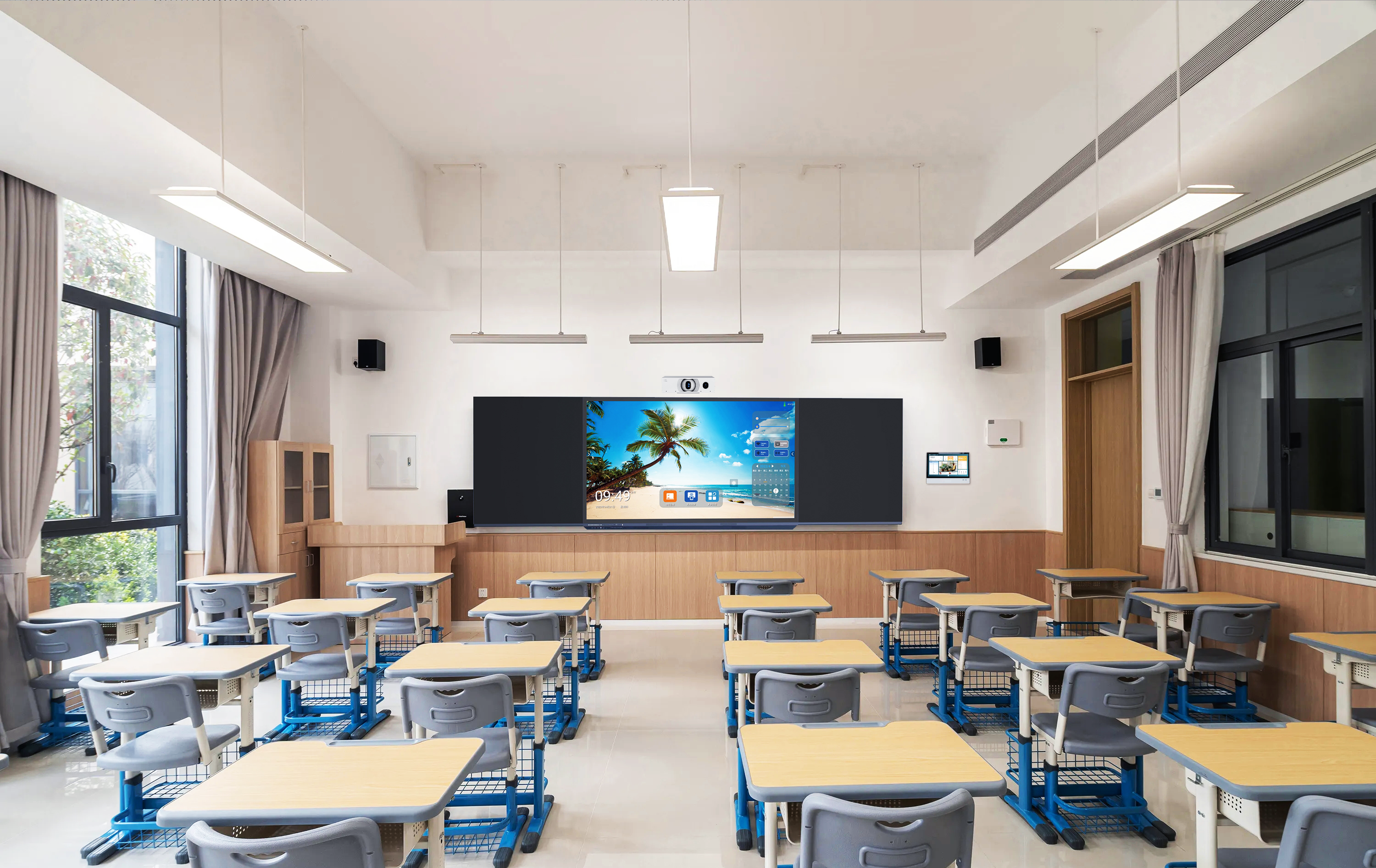
This guide is written for system integrators and project companies designing complete smart classroom projects. It focuses on how the control system, AV equipment, environmental systems and managed student devices work together — not simply on which products are installed.
We provide system topology, equipment configuration and remote technical support. You manage the local installation, building integration and end-client relationship.
What Is a Smart Classroom Control System Architecture?
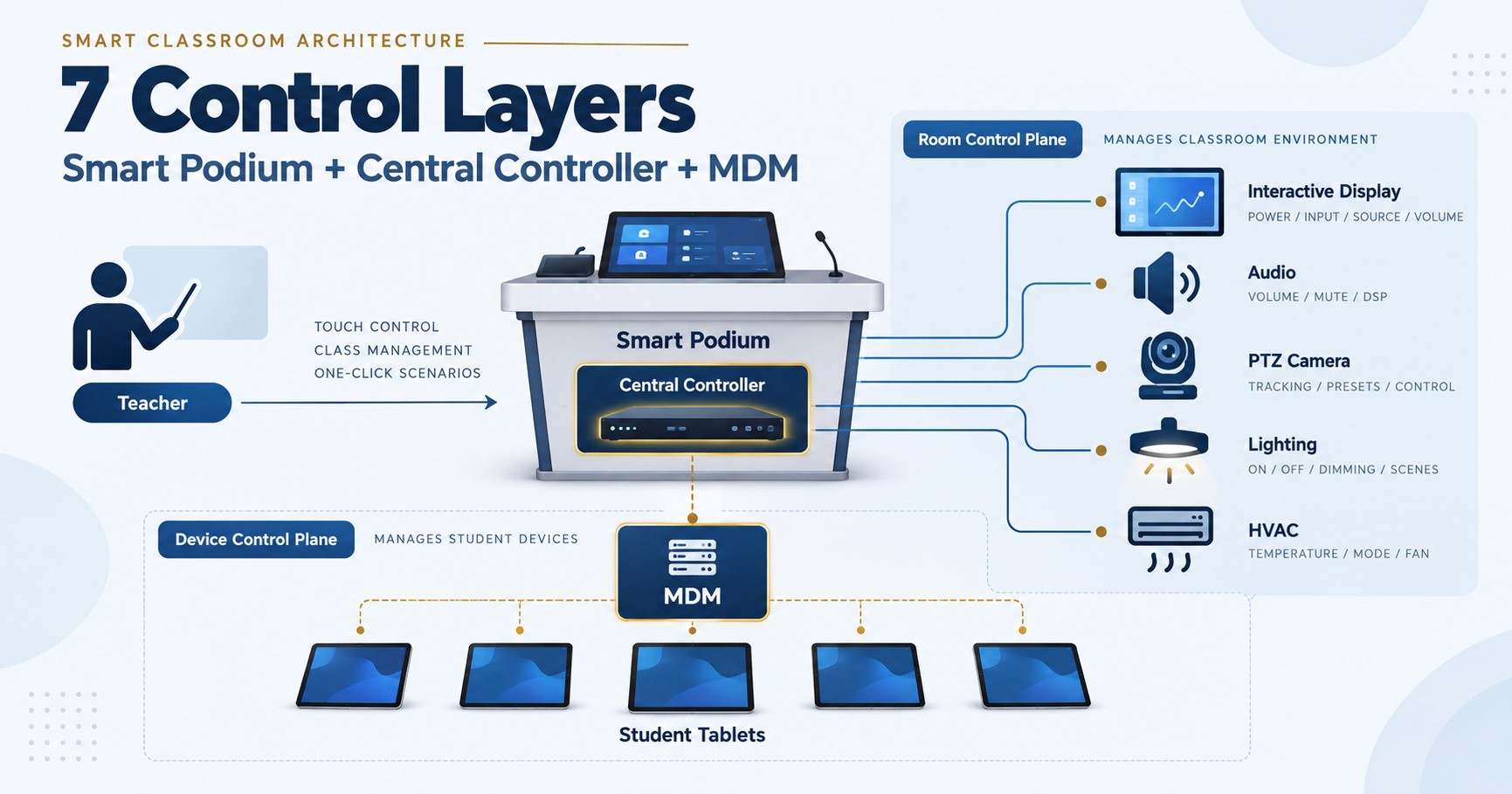
A smart classroom control system architecture defines the interfaces between the teacher, central control processor, classroom AV equipment, environmental systems, student devices and network.
The key is to separate room control from student-device management. They serve different purposes even when the teacher operates both from the same classroom.
| Control Plane | Typical Functions | Typical Controlled Devices |
|---|---|---|
| Room Control | Source switching, volume, display power, camera control, lighting, HVAC, curtains and room scenes | IFP, AV processor, DSP, amplifier, PTZ camera, lighting controller, HVAC interface and other room equipment |
| Device Management | App deployment, kiosk mode, Launcher control, device status, locking, files and APK updates | Student tablets and other managed Android endpoints |
For the complete equipment context around this architecture, see the smart classroom system we design for integrators.
The 7 Layers of a Smart Classroom Control System
User Control Interface
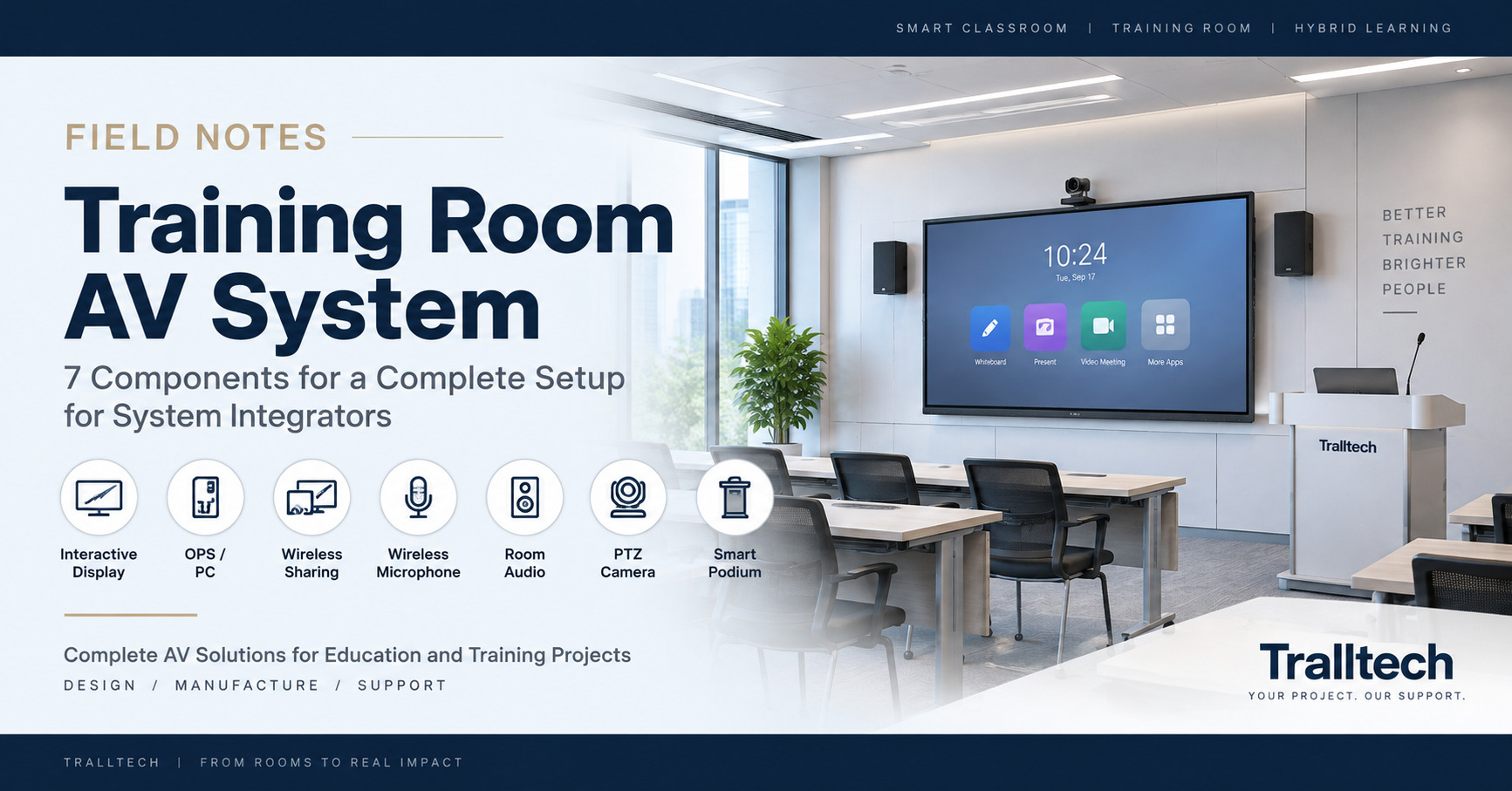
The user control interface is where the teacher operates the classroom, usually through a smart podium, interactive flat panel, teacher computer or teacher tablet.
A smart podium is especially useful as the fixed control point because it can combine teaching equipment, operator controls and the central control processor in one location.
The teacher should not need to understand which protocol controls each device. The interface should present practical actions such as:
- Start class
- Turn on the display
- Select a presentation source
- Adjust room audio
- Start a hybrid session
- Control lighting or other room functions
- Shut down the classroom
The control interface is therefore the human-facing layer, not the control engine itself.
Central Control and Automation Layer
The central controller is the room-control engine that translates teacher commands into control signals for connected classroom equipment.
In a Tralltech classroom configuration, the central control host can be installed inside the smart podium and can integrate equipment through multiple control interfaces:
| Interface | Typical Use |
|---|---|
| RS-232 / RS-485 | Display control, AV processors, project equipment and serial-controlled devices |
| Relay / GPIO / I/O | Contact closure, screen control, power control and simple automation |
| IR | Infrared-controlled equipment such as compatible displays and air-conditioning units |
| TCP/IP / LAN | Network-controlled AV equipment, controllers and other IP-enabled devices |
The exact method depends on the controlled equipment. A central controller may communicate directly with one device and use an interface module or gateway for another.
This layer also enables room scenes. For example, one “Start Class” command can trigger several predefined actions instead of requiring the teacher to operate every device separately.
Presentation and Display Layer
The presentation layer handles teaching content independently from the room-control logic.
Typical components include an interactive flat panel, OPS computer, teacher computer and wireless screen-sharing system.
The central controller can manage functions such as display power, source selection or other controllable states, while the presentation devices carry the actual teaching content.
This separation is important. A failure in one control interface should not turn the entire classroom into an unusable system.
Audio and Video Layer
The AV layer carries the teacher’s voice, room sound, camera video and hybrid-classroom communication.
A typical configuration may include:
- Wireless microphone system
- Audio DSP with processing and AEC where required
- Amplifier or active speakers
- PTZ or AI camera
- Interactive flat panel
- Video-conferencing computer or OPS
The central controller does not need to carry the audio signal itself. Instead, it can control supported AV devices — for example volume, mute, source selection or camera functions — while the audio and video signals follow their own signal paths.
For hybrid classrooms, a 4K PTZ camera, microphones and correctly designed room audio can operate as a dedicated AV subsystem while remaining accessible from the classroom control interface.
Environment and Power Control Layer
The environment-control layer allows classroom automation to extend beyond AV equipment to lighting, air conditioning, curtains and selected power circuits.
Depending on the equipment used in the project, these functions can be integrated through relay, IR, serial communication, IP control or an appropriate building-control gateway.
This allows the integrator to create practical room scenes such as:
Display on, teaching source selected, normal lighting and classroom audio enabled.
Presentation source selected and lighting adjusted for screen visibility.
Camera, microphones, display and room audio prepared for remote participation.
Selected AV equipment and controllable room systems moved to their defined shutdown state.
The exact environmental functions should be specified project by project. HVAC and lighting equipment differ widely between buildings, so the integrator should confirm the available control interface before promising automation.
Student Device Management Layer
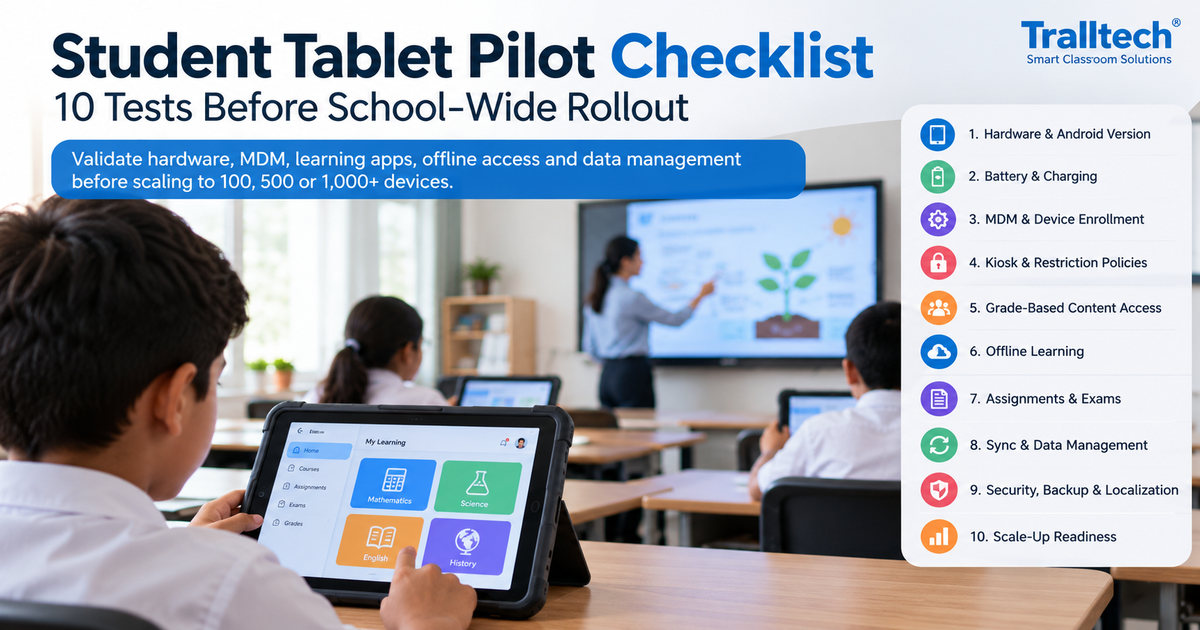
The student-device management layer controls managed student tablets through MDM, Launcher policies and teacher-side management tools.
This layer is different from the room-control processor. The central controller manages the classroom environment and AV equipment; MDM manages the state and permitted use of student endpoints.
In the current Tralltech Smart Classroom configuration, tested functions include:
| Function | Purpose |
|---|---|
| Remote app installation and removal | Manage approved applications without configuring every tablet manually |
| Single-app kiosk | Restrict a tablet to one application when required |
| Multi-app Launcher | Provide students with a controlled set of approved applications |
| Launcher exit restriction | Prevent unauthorized exit from the managed interface |
| Wi-Fi enrollment | Apply network settings during managed-device provisioning |
| Device lock | Restrict student-device use when required |
| Online / offline status | Check the connection status of enrolled devices |
| Screen supervision | View managed-device screens where permitted by the project’s operating policy |
| File delivery | Push approved classroom files and content |
| Remote APK update | Deploy updated Android applications without manually reinstalling each tablet |
Teachers can access classroom-management functions from an IFP with OPS, a PC or a teacher tablet, depending on the deployment design.
Tralltech student tablets can therefore be treated as managed classroom endpoints rather than unrelated consumer tablets.
Network, Server and Administration Layer
The network and administration layer connects room control, managed devices and remote administration without mixing their functions.
A classroom project may use wired LAN for fixed equipment and Wi-Fi for teacher and student mobile devices. The MDM platform can be deployed on a customer-controlled local server or a cloud server, depending on the project requirements.
For multi-classroom deployments, the system integrator should define:
- LAN and Wi-Fi topology
- Access-point capacity and placement
- IP addressing
- Local network-security policy
- Device enrollment process
- Control-device addresses and protocols
- Application approval and update responsibility
- Local versus cloud server architecture
Administration should be designed before hundreds of devices are installed. A working demonstration room is not yet a scalable deployment model.
How the Complete Control Architecture Works
A complete smart classroom uses separate control, presentation and management paths that meet at the teacher interface.
Teacher
↓
Smart Podium / IFP Control Interface
↓
Central Control Processor
↓
RS-232/485 · Relay/I/O · IR · TCP/IP
↓
Display · AV · Camera · Lighting · HVAC · Curtains · Power
Teacher Control Interface
↓
MDM / Launcher / Policies
↓
LAN / Wi-Fi
↓
Student Tablets
↓
Apps · Kiosk · Files · Device Status · APK Updates
Teacher PC / OPS / Tablet
↓
Wired or Wireless Presentation
↓
Interactive Flat PanelMicrophone + Camera
↓
Audio DSP / Room Audio / Hybrid Platform
Keeping these paths separate makes commissioning and troubleshooting much easier. A room-control failure should not automatically stop local presentation, and a student-tablet issue should not prevent the teacher from using the display and AV system.
Why Put the Central Controller Inside the Smart Podium?
Installing the central controller inside the smart podium creates a practical integration point for classroom control, cabling and teacher operation.
The podium can act as the visible operator position while the controller, interfaces and related electronics remain protected inside the enclosure.
This approach can simplify:
- Control wiring
- Teacher operation
- Maintenance access
- AV equipment organization
- Room commissioning
- Future system expansion
The podium should still be treated as part of the overall system design. Cable routes, ventilation, service access, power distribution and interface modules need to be planned before installation.
What Should Integrators Confirm Before Building the BOM?
System integrators should define the control workflow and interface requirements before finalizing the equipment list.
| Question | Why It Matters |
|---|---|
| Where will the teacher control the room? | Determines whether the podium, IFP, teacher tablet or multiple interfaces are required. |
| Which devices need room control? | Defines the required RS-232/485, relay, IR, I/O and IP interfaces. |
| Does the room require lighting or HVAC integration? | Determines whether direct control or additional gateways are needed. |
| How will audio be routed? | Defines DSP, amplification, microphone and conferencing requirements. |
| Are student tablets managed? | Determines whether MDM, Launcher and teacher-device management are required. |
| Local server or cloud? | Affects network design, administration and deployment responsibilities. |
| How many classrooms must be repeated? | Determines how much configuration should be standardized before shipment and installation. |
A product list created before these questions are answered is not yet a control-system BOM.
Who Does What in a Smart Classroom Project?
The manufacturer and local integrator should have different responsibilities in the project.
| Tralltech | Local System Integrator / Project Company |
|---|---|
| System topology and configuration support | Site survey and final room layout |
| Equipment selection and BOM support | Cabling, mounting and rack work |
| Smart podium and central-control configuration support | Lighting, HVAC and local building-system integration |
| Factory-side device preparation where applicable | LAN, Wi-Fi and local network-security configuration |
| MDM and student-device configuration support | Project-specific operating policies |
| Remote commissioning support | All communication with the end client |
| Hardware warranty and technical support | First-line local support |
We ship, engineer and support — you install.
Frequently Asked Questions
Can a smart podium control the entire classroom?
Yes, when the smart podium is integrated with a central control processor and compatible classroom equipment. It can act as the teacher’s main control interface for AV and other connected room systems.
What interfaces can the central controller use?
The Tralltech central control configuration supports RS-232/RS-485, relay/GPIO/I/O, IR and TCP/IP/LAN control.
Can the system control classroom lighting and air conditioning?
Yes, when the lighting or HVAC equipment provides a compatible control interface or is connected through an appropriate gateway. The exact method must be confirmed for each project.
Is MDM the same as the classroom central controller?
No. The central controller manages room equipment and automation, while MDM manages student tablets, applications, kiosk policies and device status.
Can teachers manage student tablets from different devices?
Yes. Depending on the deployment, teachers can use an IFP with OPS, a PC or a teacher tablet for classroom-management functions.
Can MDM be deployed on a local server?
Yes. The management platform can be deployed on a customer-controlled local server or a cloud server, depending on the project architecture.
Do remote updates include Android firmware OTA?
No. The currently verified remote update function is APK application deployment. Android operating-system firmware OTA is a separate capability.
Who installs and commissions the classroom system?
No. Installation is done by you, the local integrator. We provide topology, BOM, rack layout and remote commissioning support.
Key Takeaways
- A complete smart classroom needs both a room-control plane and a student-device management plane.
- The smart podium can act as the teacher interface while a central controller inside it manages AV, display, environmental and automation commands.
- RS-232/485, relay/I/O, IR and IP control provide flexibility, but every controlled device still requires protocol and interface verification.
- MDM belongs in the architecture as the student-device management layer, not as a replacement for the classroom central controller.
- Define control logic, signal flow and responsibilities before finalizing the BOM.
Written by the Tralltech Technical Team
Last reviewed: September 2026