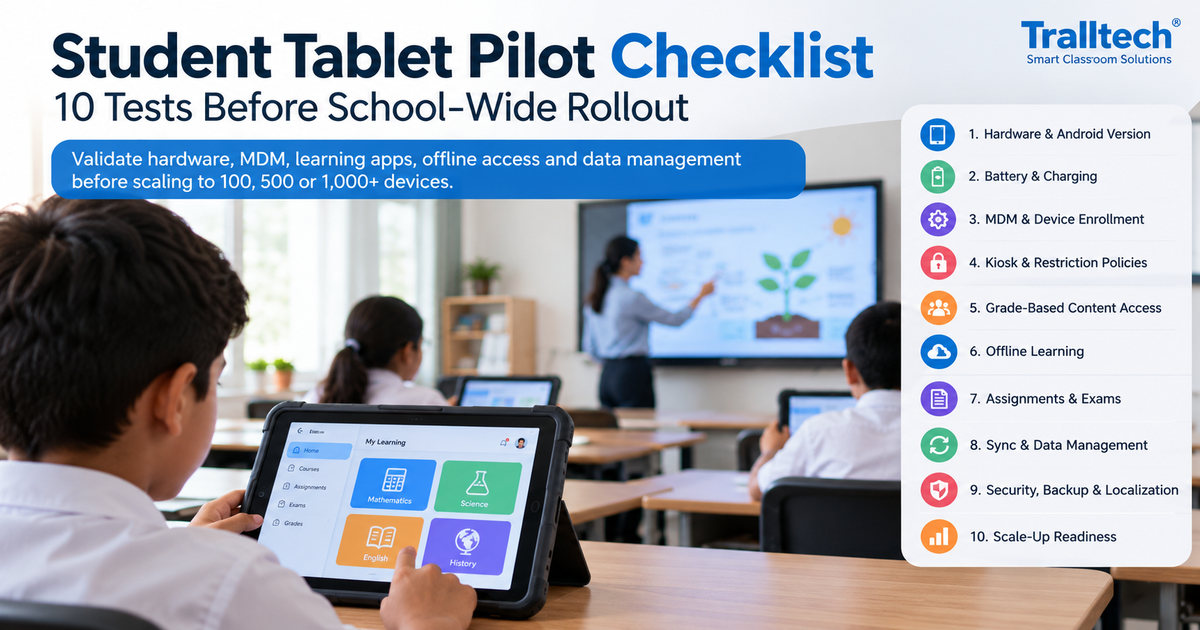
Quick answer. A student tablet pilot checklist should verify the complete managed-learning workflow before a school-wide purchase: Android configuration, MDM policies, school applications, grade-level permissions, offline coursework, examinations, synchronization, data ownership and support. A 10–20-device pilot can be a practical first acceptance stage before planning larger deployments.
This technical checklist is written for system integrators and project companies planning digital-classroom projects. Tralltech is a smart classroom and video conferencing system manufacturer offering configurable tablet hardware, device management and project-specific software engineering. We never contact your end clients — your project stays yours.
Why does a student tablet pilot need acceptance tests?
A pilot proves that hardware, device management and customized learning software work together under the project’s actual conditions. Tablet specifications alone cannot confirm school-day endurance, reliable offline access or teacher workflows. Start with defined user roles, representative lessons and agreed pass/fail criteria; retain evidence for every test.
For new production orders, Tralltech can offer the latest compatible Android version through updated mainboard options or project-specific firmware customization. The exact Android version is confirmed for the selected hardware configuration before production. The wider project scope can also include a managed Launcher, MDM, school-branded applications, local content services and custom portals, with agreed features verified on the pilot equipment.
What belongs to the tablet, MDM and learning platform?
Separate the three responsibilities before you write a bill of materials or acceptance test. Their integration is a project deliverable, not a reason to exclude school software functions.
| Layer | Functions that can be supplied or engineered | What the pilot confirms |
|---|---|---|
| Tablet hardware and Android | Education tablets, protective accessories, new-order Android versions using compatible mainboards or customized firmware, OEM branding | Exact model, OS build, battery, Wi-Fi, app compatibility and update path |
| MDM and Launcher | Enrollment, approved apps, kiosk, restrictions, Wi-Fi policy, remote management, supported security controls | Behavior on the actual Android build and under offline/reconnection conditions |
| Custom learning application and local services | Student/teacher/admin roles, grade permissions, content, assignments, examinations, grades, reports, local-server workflows and synchronization | Agreed feature scope, working accounts, data permissions and acceptance evidence |
The 10 pilot acceptance tests
Use one test register with a responsible person, success criterion, result and supporting evidence for each item. Mark Pass, Fail or Pending customization / retest; a feature planned for a customized build should be tracked, not incorrectly described as impossible.
| # | Acceptance area | Test and evidence |
|---|---|---|
| 1 | Android version and hardware | Record exact Android version/build, RAM/storage, display, cameras, USB-C, protective case and supplier datasheet; verify selected OEM configuration |
| 2 | School-day endurance and Wi-Fi | Run representative lessons, video and assessments; log battery, charging, classroom Wi-Fi handover and Bluetooth/peripheral performance |
| 3 | MDM enrollment and app provisioning | Enroll all pilot units, apply profiles, install/remove approved apps, provision Wi-Fi and capture status/device inventory |
| 4 | Managed Launcher, kiosk and exam security | Test allowed apps, settings restrictions, lock, app installation controls and an examination session; test reset/tamper rules defined for the project |
| 5 | Grade/class/subject/student access | Sign in as different students, teachers and administrators; verify the content entitlement matrix online and in each required offline mode |
| 6 | Teacher and administrator workflows | Upload a textbook, create an assignment, publish an announcement, manage classes and inspect progress through the customized portals |
| 7 | Offline delivery and local server | Disconnect external internet while keeping school Wi-Fi working; test local-server access, video and files; separately test fully disconnected tablet caching if required |
| 8 | Assignments, quizzes and examinations | Submit homework, timed questions and different answer types; test auto/manual grading, results and exam lockdown per agreed specification |
| 9 | Synchronization, data and localization | Reconnect, verify sync/conflict rules and backup/restore; export school data; inspect English/Pashto/Dari Unicode and RTL screens if in scope |
| 10 | Expansion, handover and support | Repeat provisioning, review server/AP capacity planning for 100–1,000+ devices, confirm responsibilities, license terms, spares and signed pilot acceptance |
1–2. Match the Android build to the RFQ
Tablet procurement should specify the Android build and update commitments for the actual model offered. For new production orders, Tralltech can offer the latest compatible Android version through updated mainboard options or project-specific firmware customization. The exact Android version is confirmed for the selected hardware configuration before production. An older specification on an existing webpage does not set the upper limit of new-order options or imply that already shipped units can all be upgraded.
Confirm the target Android version, processor support, application requirements, firmware/update method and security-maintenance commitment for the quoted configuration. Then run a full-day workload on physical pilot units; battery life and stability must be measured under the actual classroom use case.
3–4. Configure MDM and classroom security as one workflow
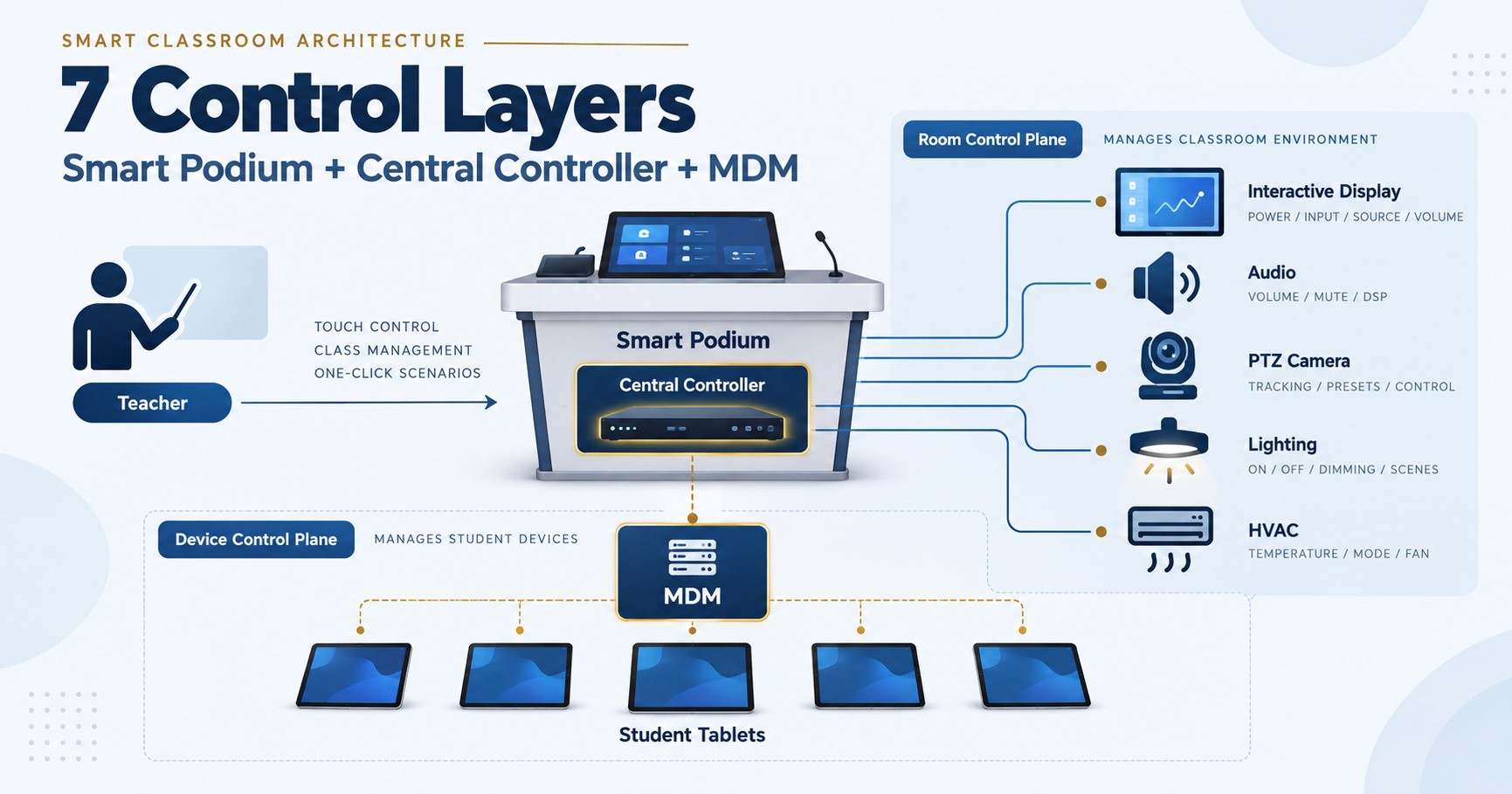
A managed student tablet combines enrolled Android hardware, MDM policies and the selected Launcher or exam application. Tralltech’s device-management workflow covers core provisioning and remote operations, and additional restrictions can be designed through the selected enrollment mode, OEM firmware and custom application integration.
For the pilot, demonstrate app allowlists, kiosk or multi-app Launcher behavior, changes to Wi-Fi/settings, device locking and examination restrictions. Define precisely what should happen when a device is offline or a user attempts a factory reset. Operating-system firmware updates and managed APK updates use different mechanisms; specify both separately if requested.
5–6. Build grade-based access and teacher functions into the school application
Grade-based content access is implementable through application permissions linked to school user accounts. A useful model is Grade → Class → Subject → Student, with teacher and administrator privileges governed separately. A customized application can provide content assignment, textbooks, homework, examinations, grades, progress reporting and announcements.
Test with at least two contrasting classes and a restricted student account. Verify that permitted content opens while higher-grade or unauthorized materials remain inaccessible. Demonstrate the required teacher and administrative tasks with actual pilot accounts—not just a feature list or design mock-up.
7–8. Validate both offline learning and examinations
Offline classroom operation can be designed around a local school server, working school Wi-Fi and optional on-device caches. These are distinct conditions and should have distinct acceptance tests.
First disconnect the external internet while keeping the local Wi-Fi and server running. Check lessons, video, submissions and timed assessments against the agreed application configuration. If fully disconnected use is required, then switch off the tablet’s Wi-Fi and validate locally cached content and actions. Examination lockdown and offline grading can be developed into the project-specific software workflow; test the exact requirements in the pilot before scaling.
9. Verify data control, synchronization and language support
A digital-school pilot should prove that authorized staff can maintain and export student data, not merely view a dashboard. Test local backups, restoration, data export, user permissions and the documented ownership/hosting arrangement. Where cloud synchronization is included, define conflict resolution and confirm what is synchronized after an outage.
English, Pashto and Dari/Persian interfaces can be localized with Unicode and right-to-left layout support. Test real student names, menus, lesson content, examinations, notifications and exported reports in the selected software build.
10. Define the path from 20 to 1,000+ tablets
A successful 10–20-device pilot is the first acceptance milestone, not a guarantee of 1,000-device performance. For expansion, plan provisioning batches, local network and AP capacity, server concurrency, charging/storage, spare-device procedures, technical ownership and staged rollout tests.
A good proposal separates equipment and customization charges from recurring hosting, licensing, maintenance, training and local installation. Where long-term licenses or source-code rights are requested, describe the exact deliverables and permitted rights in the commercial agreement.
What should an integrator receive before project sign-off?
The acceptance package should be specific enough for another technician to reproduce the approved classroom configuration. Include the approved device/build list, MDM policies, application version, content-permission matrix, test evidence, network/server diagram, software change register, backup procedure, training plan and escalation contacts.
For the larger system context, see Tralltech’s smart classroom systems. For device configurations, review student tablets. For network and local content setup rather than testing procedures, read how to set up an offline classroom.
Frequently asked questions
Can Tralltech provide Android 13 or newer for student tablets?
Yes. For new orders, Tralltech can offer Android 13 or newer, including the latest compatible Android version, through a suitable mainboard or customized OEM firmware. Confirm the precise OS build and maintenance terms for the quoted model; upgrading previously shipped tablets is a separate assessment.
Can a school application include grade access, exams and teacher portals?
Yes, these functions can be developed or integrated as a customized learning application. The pilot specification defines the required roles, workflows, offline behavior and acceptance criteria.
Is MDM the same as a learning management application?
No. MDM controls managed devices; the learning application handles course content, school accounts, assignments and grades. They can be integrated as one project workflow.
Can an exam operate without external internet?
Yes, offline exam workflows can be designed around local services and permitted device storage. Test lockdown, timing, submissions and grading using the selected system configuration.
Does Tralltech install the system?
No. Installation is done by you, the local integrator. We provide topology, BOM, rack layout and remote commissioning support.
Key takeaways
Validate the configuration. Specify the required Android build, hardware and updates, then test physical sample tablets.
Engineer the whole workflow. MDM, a custom learning application, grade permissions and offline server functions can work together when properly designed and accepted.
Approve expansion with evidence. Preserve test logs, offline results, data exports and scaling plans before ordering larger batches.
Need a project-specific student tablet pilot configuration? Send your project requirements to Tralltech. We provide manufacturer-side hardware selection, BOM development, customization planning and remote technical support through system integrators and project companies. We never contact your end clients — your project stays yours.
Written by the Tralltech Technical Team · Last reviewed: October 2026
Related guides: Student Tablets · Offline Education Solution · Smart Classroom Control Architecture